Create a code
Pick a bio page or a redirect, then style it to match your brand. Making lots? Import them from a spreadsheet (CSV).
Print it once on a QR code. It opens a page in your brand's look, or goes straight to any web address, and you can switch or change it any time without reprinting.
Invite-only. Your customers just scan, nothing to install.
Nothing to install and no code to write. You can do every step from your phone.
Pick a bio page or a redirect, then style it to match your brand. Making lots? Import them from a spreadsheet (CSV).
Download a print-ready PNG, SVG or PDF for stickers, cards or menus, with a “Scan me” frame if you like.
Any phone camera opens your page. There is no app to install.
Views, clicks and redirects by country, device and where people came from, compared with the period before.
A café, a market stall, a yoga studio, a bike shop: each page below is one you can make. Buttons sit one to a line or two side by side, with headings, text and dividers in between. Try a theme, then change the button style and shape.
Showing the Paper theme: a neighbourhood café.
Pick the dot and corner styles, your colours and a logo for the centre. Download the file as a PNG, SVG or PDF.
Scan it with your phone: every code here opens our demo page. Open the demo page
Dot style: Rounded. Corner frame: Extra rounded. Corner centre: Dot. Colour: Ink. Centre mark: None.
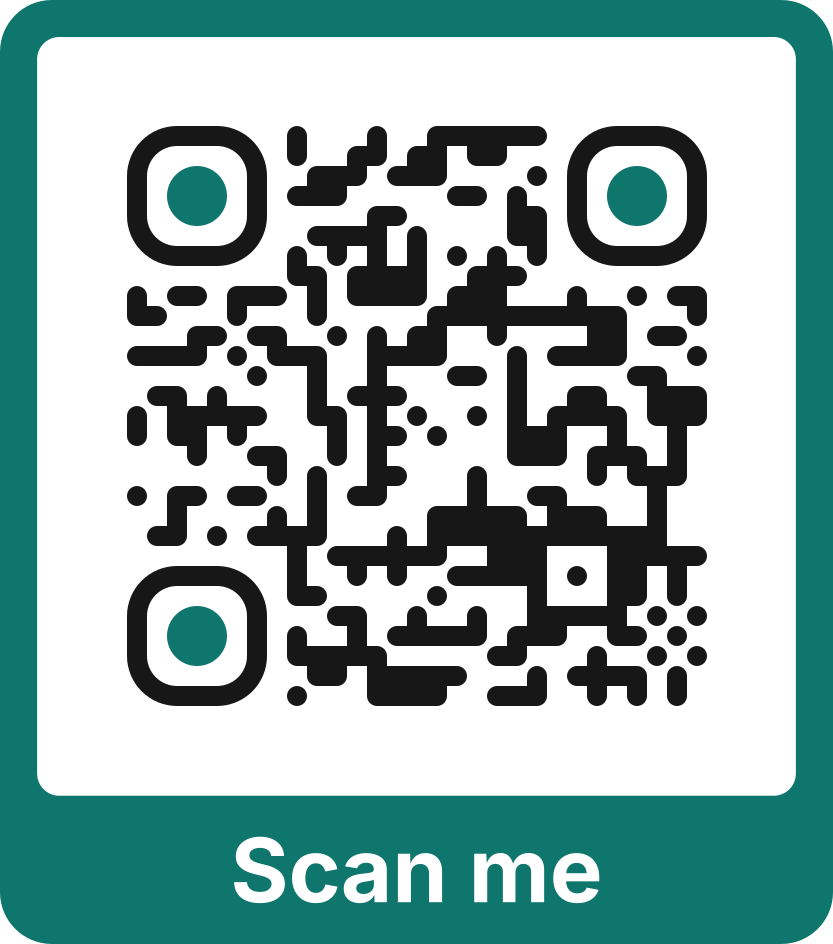
Put a short message like “Scan me” around the code. Every file you download includes it.
The code on your sticker always points to the same link. You decide what happens when someone scans it, and you can change your mind later.
Change it tomorrow. The sticker stays the same.
Views, button clicks and redirects, by country, device and where people came from. Look back 7, 30 or 90 days, compare with the period before, see your busiest days and hours, and export it all to CSV.
Traffic over the last 30 days.
1,399
Page views
vs previous 30 days
551
Button clicks
vs previous 30 days
224
Redirects
vs previous 30 days
993
Visitors
vs previous 30 days
Numbers and places here are made up to show what the dashboard looks like.
Bring the guest list from your event page, add the prizes, and draw each winner from your phone. The names spin on the big screen and on every phone in the room, then land on the winner.
Upload the attendee list from Meetup, Eventbrite or Luma, a CSV or Excel file, or paste the names. Keep only the people who said yes, or who checked in.
Give each one a picture, a link and a line of details, and put them in the order you want to draw them.
Open the raffle's page on the big screen, with a QR code so the room can follow on their phones. Press “Draw the winner” on yours and every screen lands on the same name.
Fair for everyone. Each winner is picked at random by the server, not by the person running the draw, and nobody can win twice. If a winner has gone home, “Not here? Draw again” picks someone else. Once the raffle ends, its page shows only the winners.
The rest of what you get with your account.
Instagram, WhatsApp with a message already typed, Viber, Google reviews, bookings, delivery, payments, your website or any link, each with its own icon. Drag or tap to put two side by side, and add headings, short text and dividers between them.
One page in both languages. Visitors see it in their phone's language and switch with EL | EN.
Start a page as a business card with an Add to contacts button that saves your details to a visitor's phone, then make one for each colleague in a step.
Add your address, phone and opening hours, so search engines can show them with your page.
Invite-only, with one project for each brand. Project admins look after their own team, and everyone signs in with an emailed link, so there are no passwords.
Last week's scans and taps in your inbox every Monday morning. One switch turns it on, one link stops it.
See everything it doesWe never store visitors' IP addresses, only a one-way scrambled code used to count visitors. Public pages set no tracking cookies. Keep a page out of search, or ask for a password.
Make a QR code for Wi-Fi, a contact card, WhatsApp, an email or a location, or check one before you print it. Free, with no account.
Try the free toolsShort guides for every task, and questions answered from your dashboard. What's new tells you what changed.
Open the help centreIt is a QR code that opens a page of your links: Instagram, your website, a map, a phone number, with a few words of your own if you like. You choose how the page looks, and people open it with their phone camera.
No. The printed code always points to the same link. You change the page, or the web address it sends people to, from your dashboard and every code already out there follows. Deleted one by mistake? Restore it from Archived and it works again.
No. The camera on any modern phone reads the code and opens your page in the browser.
Views, button clicks and redirects, with country, device, browser, language and where the visit came from, for the last 7, 30 or 90 days, each compared with the period before. A chart shows your busiest days and hours, and you can export it all to CSV. We never store IP addresses, only a one-way scrambled code that counts visitors.
Yes. Set the colours of your page and buttons, pick one of twelve fonts, and add a banner and a profile picture. Put your logo in the middle of the QR code and choose its size, its shape and the space around it, with a plate behind it if it needs one. A scan check warns you if a choice could make the code hard to scan.
Sign-in is by invitation, and we don't list prices yet. Get in touch and we will set you up and talk it through. Then you sign in with a link sent to your email, with no password.
The printed code opens your page on our site. A redirect can only lead to a normal web address (http or https), so a code can't be used to run scripts or open anything else.
Made from a real need. We built it for Noma, a sticker brand on Tinos, so its printed QR codes could keep working while what they open changes. Now it helps other small businesses do the same.
Already have an account? Sign in
Spring meetup raffle
Sample data
Prize 1 of 3
Headphones
Wireless, noise cancelling
Who wins it?
Up next: Headphones.
12 people still in the draw. 0 of 3 prizes drawn.